


PBS KIDS Games
4.312.37K Reviews
App Specs
- Version
- 6.14.0
- Updated On
- License
- Free
- Downloads
- 10,000,000+
- Developer
- PBS KIDS
- Categories
- Educational
- Platform
- Android, iOS
Screenshots
 Analysis by AppCompare
If you've got kids, or even if you're just a young-at-heart gamer, you've probably heard of the PBS KIDS Games app. It's a treasure trove of fun and educational games designed specifically for children. I recently took a deep dive into this app, and I'm here to share what I found.
Endless Entertainment and Learning
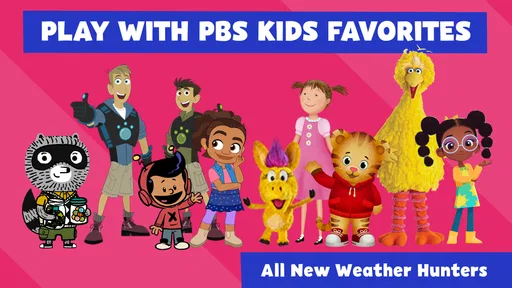
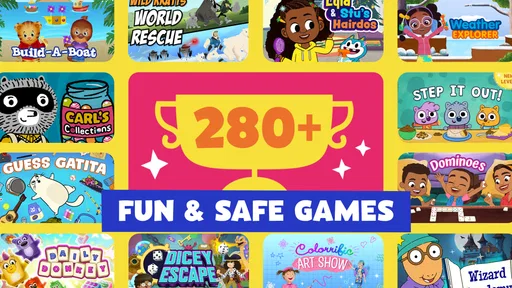
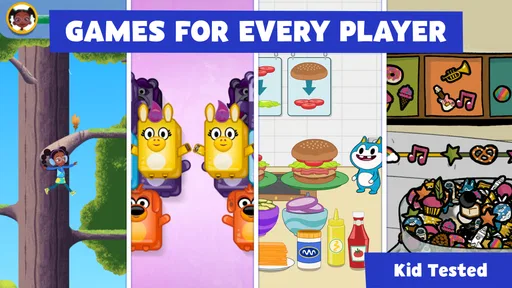
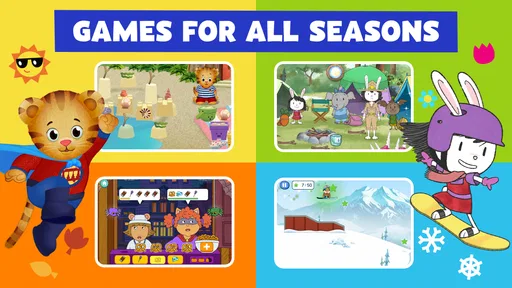
First off, the sheer variety of games available is impressive. The PBS KIDS Games app offers over 100 games covering topics from math and science to reading and creativity. Each game is themed around popular PBS characters like Daniel Tiger, Wild Kratts, and Arthur, which is a huge hit with the little ones. It's not just mindless entertainment; these games are educational, subtly weaving in learning objectives without the kids even realizing it.
Why the character-led approach matters
The strongest idea here is using familiar characters as the doorway into learning. PBS KIDS Games is an educational game from PBS KIDS, and that identity gives it a different feel from a collection of unrelated drills. When a child already enjoys Daniel Tiger or the Wild Kratts, a game built around those worlds can feel inviting before the learning task even begins. In my view, that matters most for children who resist being told to practise a school skill but are happy to explore a playful activity.
The app is free and rated for Everyone, so it is easy to consider for a shared family device or a child’s first gaming experience. Its 4.4 average from around 55,000 ratings and more than 10 million installs suggest that many families have tried it, though popularity is not a substitute for checking whether the activities suit your own child. The useful question is less “Is this educational?” and more “Will this particular child enjoy returning to these kinds of games?”
How a short play session can work
I would treat it as a menu of brief activities rather than a game that demands a long, uninterrupted session. A parent can help a child choose a familiar character, let them try a game, and then ask what they noticed or figured out. That small conversation turns screen time into a chance to practise explaining choices, rather than simply tapping until the next screen appears.
A practical tip is to explore the available games together before handing over the device. That lets you find a few activities that match the child’s interests and current patience level, instead of expecting them to browse a large collection alone. It also makes it easier to stop at a natural point: agree on one game or a short play window, then let the child finish the activity they are doing. The app can provide the activity, but an adult still has to set the rhythm.
A realistic everyday use
For example, after school, a child might need a calm transition before dinner while a caregiver prepares food nearby. I would choose one game with a character the child already knows, keep the session short, and ask them to describe what they did when they put the device down. This is a better fit than using the app as background entertainment for an entire evening: the value comes from an engaging activity and a little follow-up, not from leaving a screen running indefinitely.
Worth Reading Before You Choose

EA SPORTS FC Mobile 26 Is a Bigger Football Game, but It Takes Time

Flipboard Shows What News Apps Must Do Beyond the Feed

Switching to Android Auto Means Rethinking Your Driving Routine

Google Calendar Makes a Crowded Week Easier to Manage

Ludo King Makes the Most of the Minutes Between Plans

Baby Panda World Brings Quick Play to Modern Phones, but Its Game Library Feels Busy
It can also be a useful option when siblings have different interests. Rather than insisting that everyone play the same activity, a caregiver can help each child pick a suitable game in turn. That flexibility is a real advantage of a varied collection, although it does mean that the app is not automatically a shared, cooperative game. If the goal is for children to take turns together or build something as a team, a dedicated multiplayer activity may be a better match.
Kid-Friendly Interface
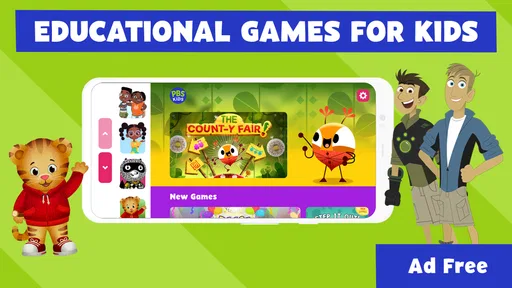
The interface is colorful and engaging, which is perfect for grabbing the attention of young users. Navigation is straightforward, even for those little fingers that are still mastering the art of swiping and tapping. The games load quickly, and I didn't experience any lag, which is a win in my book because keeping a child’s attention is no easy feat!
That simple navigation is helpful, but I would not assume every child can use the whole app independently right away. Younger players may still need help choosing an activity, understanding what a game is asking, or recovering if they leave a screen by mistake. Sitting beside them for the first session is a practical way to see which controls feel natural and which activities need an adult’s explanation. Once a child has favourites, the same collection can become easier to manage without constant guidance.
What it offers compared with other children’s games
Compared with a single-purpose alphabet or number app, this is more appealing when a child wants variety and already recognises the PBS characters. Compared with open-ended video watching, it gives children something to do rather than only something to watch. Those are meaningful differences for families trying to make screen time more active, but they do not mean it replaces a focused learning tool. If a child needs repeated practice on one precise skill, a purpose-built app or an offline activity chosen by a parent may be more direct.
The trade-off is that a broad selection can make it harder to know which game best fits a particular learning goal. I would not treat every activity as equivalent practice in reading, science, or maths simply because the collection is educational. Let the child’s interest guide the choice, and use the activity as a playful supplement to reading together, conversation, or hands-on play. The app is at its best when it adds a small, enjoyable option to a child’s day rather than carrying the whole burden of teaching.
Parental Controls and Safety
As a parent, safety is often a top concern when it comes to letting kids use apps. PBS KIDS has done a stellar job ensuring that their app is a safe space. There are no ads or in-app purchases, so no more surprise charges on your credit card! Plus, it’s nice knowing that the content is crafted by educators and child development experts.
The absence of ads and in-app purchases also makes the experience less likely to be interrupted by sales prompts, which is welcome when a young child is using the device. I would still keep ordinary device supervision in place: an adult can decide when the phone or tablet is available, which games are appropriate, and whether the child is ready to navigate without help. A child-friendly game can reduce some common worries, but it does not replace household screen-time rules or an adult’s judgement about age and maturity.
Offline Play for On-the-Go Fun
Another feature that parents will appreciate is the ability to download games for offline play. This is perfect for those long car rides or flights where Wi-Fi isn't an option. Just load up the games before you leave, and you've got an instant boredom buster right in your pocket.
For travel, I would prepare before leaving rather than wait until a connection becomes unreliable. Check that the chosen games are ready while you still have access to the internet, then open them once before the trip so the child knows what to expect. This makes offline play particularly useful as a backup for a wait at an appointment or a quiet stretch on a journey. It is less suitable if you need a guaranteed distraction for a long period: a set of games can occupy a child, but it cannot promise that every activity will hold their attention.
When another choice may be better
Families looking for a structured lesson sequence, detailed progress tracking, or a narrowly defined curriculum may prefer a dedicated learning program. Children who mainly want competitive challenges, complex controls, or a continuing story with a clear finish may also outgrow the kind of casual, character-based activities this collection offers. And if the child does not know or care about the PBS characters, that particular draw will matter less; try a game together first rather than assuming the familiar names will be enough to hold their interest.
One practical way to decide is to watch how the child behaves after trying it: do they select an activity willingly, stay engaged long enough to understand its task, and tell you something about what they did? If yes, it is serving as a useful light-touch option. If they keep switching away or need an adult to guide every tap, another kind of play may be more satisfying. I see that as a question of fit, not a flaw in the child or a reason to expect every game in a large collection to work equally well for every age.
Continuous Updates and New Content
The app is regularly updated with new games and features, keeping it fresh and exciting. This means that kids can continue to discover and explore without getting bored. The developers are clearly committed to providing a quality experience, and it shows.
The current version is 5.3.23, and the game first appeared on April 27, 2016. It supports devices running Android 5.1 or later, so it can suit some older Android hardware as well as newer devices. Before planning a trip around offline use, I would still check that the app opens properly on the device and that the child’s chosen games are available for the session. That small check is more reliable than assuming an app’s age or update history guarantees the same experience on every phone or tablet.
Who is likely to get the most from it?
I think PBS KIDS Games is strongest for younger children who enjoy the characters, benefit from simple interactive play, and are happy to sample different activities. It is also a sensible choice for caregivers who want a free option without ads or in-app purchases, especially when they can join in at the start and help a child find favourites. For a quick after-school activity, a quiet moment while travelling, or a gentle alternative to passive viewing, it can fit naturally into family life.
It is a weaker fit for someone seeking a formal course, a precise way to measure progress, or a game designed around competition and long-term goals. Parents should also be ready to guide the first choices and set limits on play time; “easy to use” does not mean every child will need no support. Those expectations make it easier to judge the app on what it does well: inviting children into short, playful activities with familiar characters.
In conclusion, if you're looking for an app that combines fun, education, and safety, the PBS KIDS Games app is a fantastic choice. It's a win-win for both kids and parents, providing hours of entertainment while sneaking in some learning along the way. So, go ahead, give it a try, and watch your kids learn and laugh at the same time!
Pros
- Wide variety of educational games.
- Kid-friendly interface and graphics.
- No in-app purchases or ads.
- Offline play available for travel.
- Regular updates with new content.
Cons
- Limited appeal for older kids.
- Some games require internet access.
- Occasional slow loading times.
- Not available in all regions.
- Requires significant storage space.
FAQs for PBS KIDS Games
What is the PBS KIDS Games App?
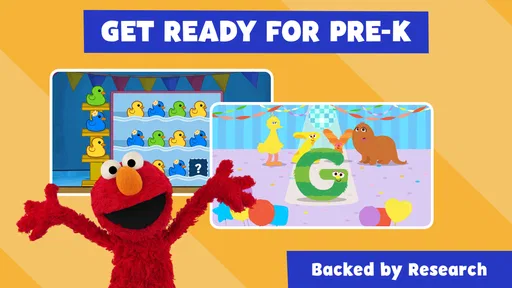
The PBS KIDS Games App is an educational application designed for children, offering a collection of fun and interactive games based on popular PBS KIDS shows. It aims to help children develop skills in literacy, math, creativity, and more, through engaging and safe digital play.
Is the PBS KIDS Games App free to download and use?
Yes, the PBS KIDS Games App is free to download and use. While the app itself does not require in-app purchases, it is supported by public television and donations, ensuring all children have access to its educational content without any cost.
What age group is the PBS KIDS Games App suitable for?
The PBS KIDS Games App is primarily designed for children ages 2 through 8. It offers age-appropriate games that align with early childhood education standards, providing a safe and enriching experience for young learners as they explore various educational topics.
Does the PBS KIDS Games App require an internet connection?
While some games within the PBS KIDS Games App can be played offline, an internet connection is required to download new games and updates. To ensure the app functions optimally and to access the full range of content, a stable internet connection is recommended.
How does the PBS KIDS Games App ensure child safety and privacy?
The PBS KIDS Games App is committed to providing a safe environment for children by not collecting personal information. The app adheres to strict privacy policies and is regularly reviewed to ensure compliance with the Children's Online Privacy Protection Act (COPPA).


